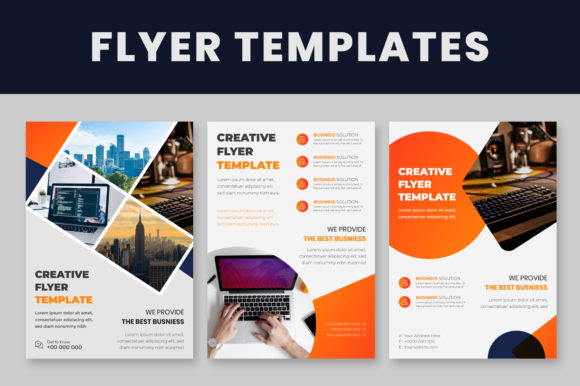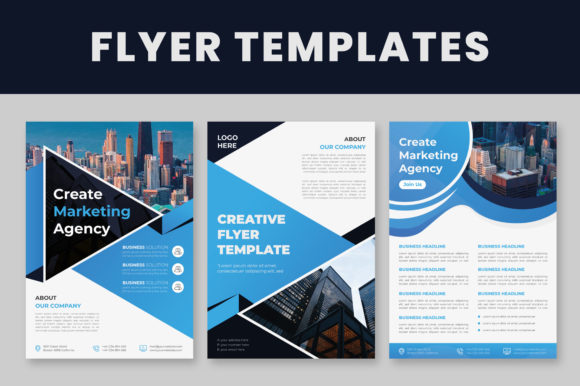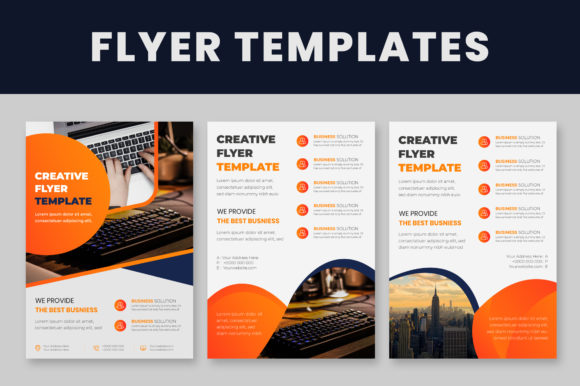
Modern Flyer Templates: Your Toolkit for Instant Professional Designs
In the fast-paced world of marketing and event promotion, time is your most valuable asset. You need to grab attention quickly, but creating a design from scratch for every sale, launch, or party is exhausting. That’s where a solid Set of Modern Flyer Templates changes the game. These aren't just static images; they are fully editable design assets built for professionals who need high-quality results without the steep learning curve of advanced graphic design software. Whether you are a small business owner promoting a weekend sale or a designer juggling multiple clients, these templates provide the structure you need to move fast.
The Anatomy of a Usable Design Asset
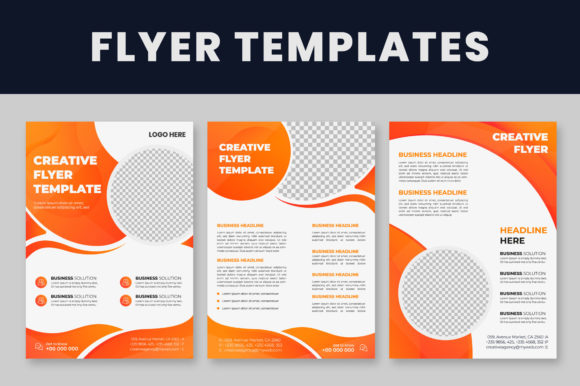
What separates a professional template from a generic one? It comes down to utility and technical precision. This particular set includes three distinct files, all formatted to the standard A4 size—a universal format that works perfectly for both digital distribution and standard print shops. The files are provided in EPS and Illustrator (Ai) formats, ensuring compatibility with Illustrator CS to the Latest Version. This is crucial for maintaining modern typography standards and ensuring your files don't crash or glitch when you need them most.
One of the biggest headaches in design is file management. We’ve all downloaded a free asset only to find a mess of unnamed layers and rasterized text. This set avoids that entirely by featuring well-organized layers. For a designer, this means you can isolate elements, adjust spacing, and tweak the layout with surgical precision. It respects your workflow, allowing you to focus on the creative aspect rather than untangling the technical mess. Plus, the use of free fonts ensures you aren't hit with hidden costs or licensing issues after you’ve finished the design.
Visual Style and Brand Personality
The visual language of these templates leans heavily into clean lines, bold typography, and structured hierarchy. In the current design landscape, "modern" often implies a move away from clutter. It’s about using negative space effectively to let the message breathe. The style here is versatile; it balances the energy of a display font with the readability of a solid sans serif font. This combination creates a brand identity that feels established and trustworthy.
Consider the personality this projects. If you are launching a tech startup or a boutique clothing brand, you need visuals that signal competence. These templates offer that professionalism. The visual hierarchy is already established for you—your eye is naturally drawn to the headline, then the sub-header, and finally the call-to-action. This structure is vital for audience engagement. A confused viewer is a lost customer; these layouts remove the confusion.
Practical Applications: Beyond the Bulletin Board
While the name suggests flyer templates, the utility of these assets extends far beyond a piece of paper tacked to a coffee shop corkboard. Because the files are vector-based (EPS/Ai), they are infinitely scalable. This makes them perfect for packaging design inserts, large-format printing for trade show banners, or even social media graphics.
Imagine you are a blogger or content creator. You can adapt one of these templates to create a lead magnet PDF—a free checklist or guide that looks incredibly polished. For marketers, the ability to quickly swap out text and colors means you can A/B test different offers rapidly. Instead of waiting days for a design team, you can mock up three different versions of a promotional flyer in an afternoon. This agility is a competitive advantage.
Mastering the Edit: A Step-by-Step Workflow
The true power of this set lies in its 100% editable nature. However, knowing how to manipulate the files is key to getting the most out of them. The process is straightforward, but following the correct order of operations ensures a smooth experience.
- Font Installation: Before you even click the file, install the recommended fonts. If you open the file without them, Illustrator will substitute missing fonts, which can throw off your entire layout and spacing.
- Logo Integration: To change the logo, use the selection tool to highlight the placeholder graphic. Delete it and place your own vector logo. Ensure your logo’s visual weight matches the placeholder to maintain balance.
- Text Editing: Select the type tool and click directly on the text you wish to modify. This allows you to change the copy while retaining the original font pairing and sizing.
- Color Customization: To align the flyer with your specific brand palette, select the objects and navigate to the color palette. This is where you can shift the mood entirely—moving from a corporate blue to a vibrant coral, for example.
This flexibility allows you to maintain brand consistency across all your marketing channels. You aren't forced to use the template's color scheme; you are simply using the template's structure as a scaffold for your own brand identity.
Evaluating Fit and Readability
When choosing to use a premium font or a pre-made template, you must evaluate how it fits your specific project. These templates are designed for high-impact information delivery. They work best for event announcements, product launches, service menus, and sales promotions. They might be less suited for long-form editorial design like a magazine article, where a serif font might be more appropriate for body copy.
Readability is the non-negotiable standard. Even the most artistic design fails if the audience can't read the time and date of your event. The typography in this set is chosen for clarity. The sans serif elements ensure that at a glance—from across a room or on a mobile screen—the message is understood. Always preview your design at 100% zoom and from a distance to ensure your color changes haven't compromised the contrast or legibility of the text.
The Value of Organized Assets
For the hobbyist or crafter, the appeal is accessibility. You don't need to be a wizard in Adobe software to make something beautiful. The well-organized layers mean you can turn off elements you don't like, such as background graphics or decorative borders, without breaking the file. It empowers you to simplify the design if that suits your taste better.
For the professional designer, this set is a time-saver. It’s a base that you can build upon. You might take the layout structure but swap the sans serif font for a script font to give it a more personal, handwritten feel for a wedding client. The possibilities are endless because the foundation is solid.
Ultimately, investing in a high-quality set of templates is about respecting your own time and the time of your audience. It ensures that every piece of communication you put out into the world reflects the professionalism and care you put into your work. Whether you are printing 500 copies for a local mailer or sharing a digital version on Instagram, these templates provide the polish you need to stand out.